You have the possibility to re-import an exported table. By clicking on Import button in the action bar. A pop-up window with an area for the upload of a ZIP file with JobData table configuration will be displayed.
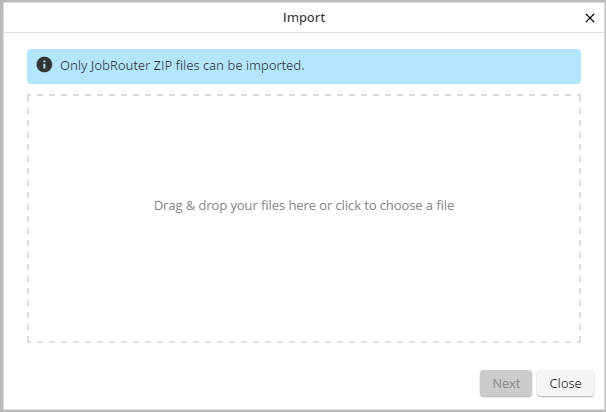
Import table: Upload file
After uploading a file click on Continue. You can adapt the database name, label, category, and database connection for the table in a new pop-up window:
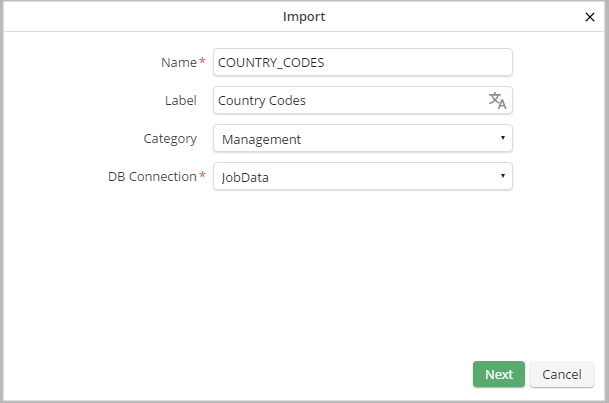
Import table: Adapt properties
By clicking on Continue table column details will be displayed in a further pop-up window. Changes and new columns are marked in color.
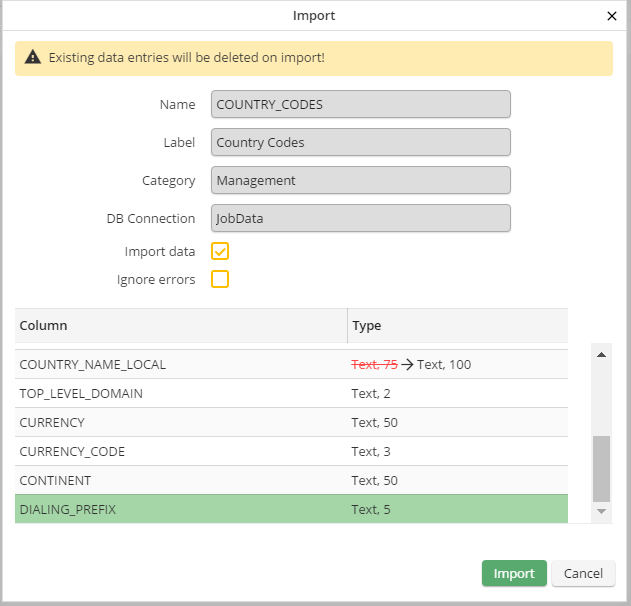
Import table: Adapt properties
If the imported ZIP file contains data records, you can chose with the option Import data if you want to import these as database table content or not. Please note, that thereby existing contents are deleted. If you select the option Ignore error additionally, incorrect data records will be skipped (e.g. if primary key restrictions are violated). If this option was not selected, the import will be reset and an error message will be displayed.
If a table configuration change is not allowed, e.g. because it could lead to a data loss, the import can not be performed. In this case the affected columns are marked in color. In the event that a column does not exist in the imported file or its length is shorter than the target column, an alert is displayed stating that data might get lost. Though, if provided data records are should be imported also, the table configuration can be overwritten, as the table will be emptied before the import.
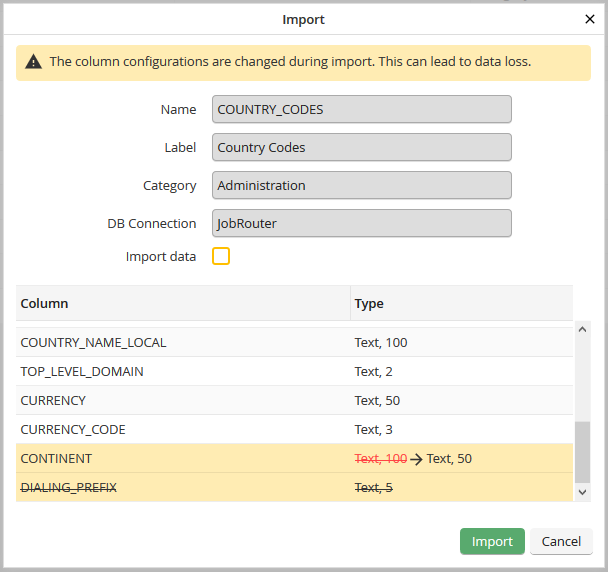
Import table: Potential data loss during import
Please note: If it is e.g. not possible to shorten a column due to the existing data an error message will be displayed in the next step.
Examples for changes
Add a column:

Change of column type not possible:

Change of column type with possible data loss:

Enable change of column length:

By clicking on Import the table configuration will be imported into JobRouter and the table will be created or updated. In case of errors an according error message will be displayed. For an import including the data records the table will be emptied first. Thereafter new data records will be created.
Non-existing categories will be created.
When a new table is imported the table profile with all properties except of the Job Function assignments will be assumed.
If the import is used to update an existing table non-existing table profiles will be created. Already existing table profiles will be overwritten and the Job Function assignments remain unchanged. Table profiles that are not part of the import remain unchanged.
